How to Record Remote Video Testimonials That Look Professional
A practical guide to recording high-quality video testimonials from customers anywhere in the world — tools, instructions, quality tips, and the exact workflow that produces professional results.
Pavel Putilin
Founder
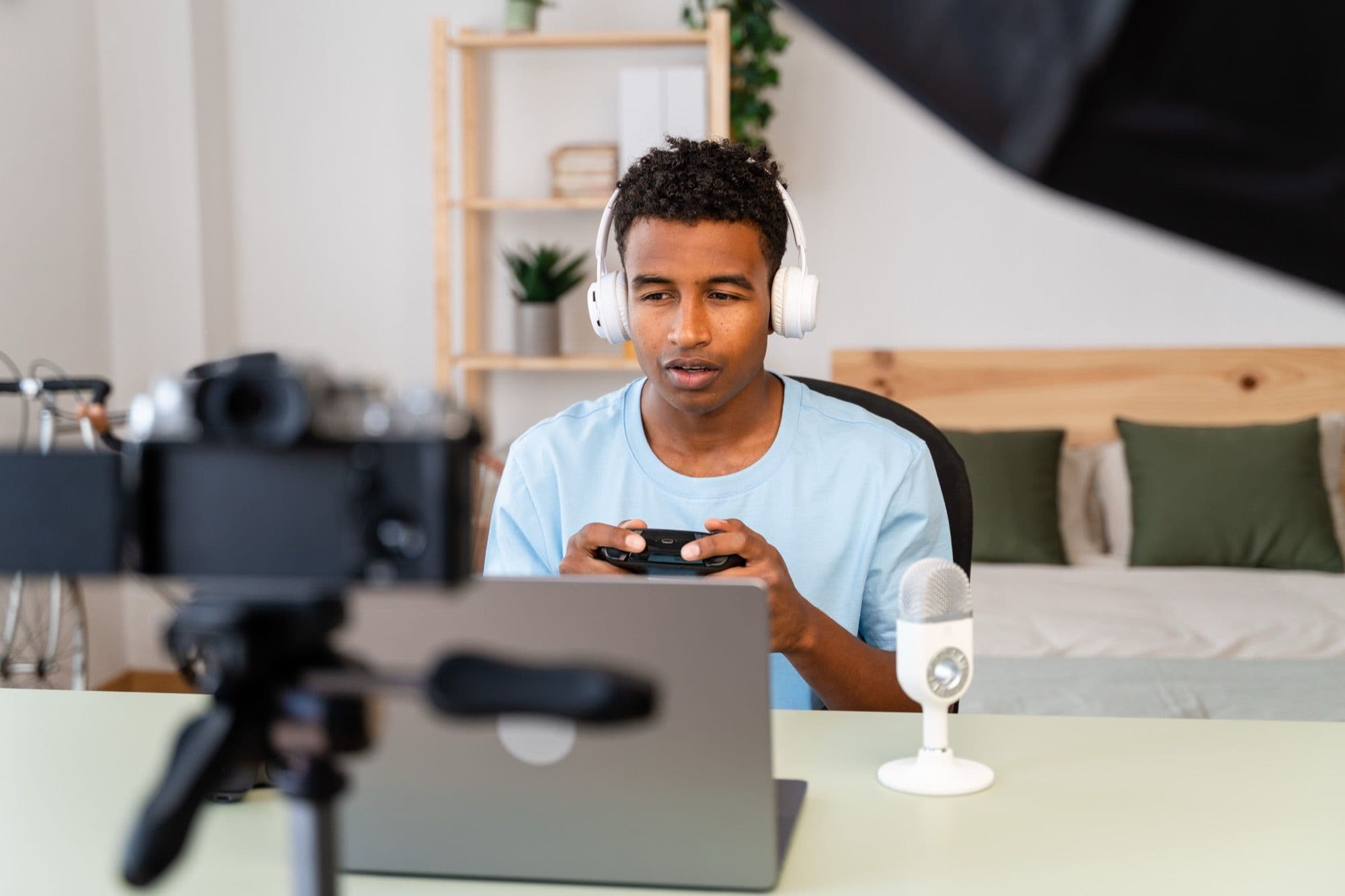
In-person testimonial shoots produce beautiful results. They're also expensive, logistically complex, and completely impractical if your customers are spread across twenty cities and three time zones.
Remote recording has become the default for video testimonials in 2026 — and for good reason. Phone cameras shoot 4K. Webcams have gotten dramatically better. Internet connections are fast enough for high-quality video calls. And frankly, the slightly imperfect, authentic feel of a self-recorded testimonial often outperforms a polished studio production in terms of viewer trust.
But "remote" doesn't mean "unplanned." The difference between a remote testimonial that looks professional and one that looks like a hostage video comes down to preparation, clear instructions, and the right tools.
I've seen thousands of remote testimonials come through VideoTestimonials. This guide distills what separates the great ones from the mediocre ones — and gives you the exact workflow to consistently produce professional results without ever being in the same room as your customer.
The Two Approaches to Remote Recording
There are two fundamentally different ways to record remote video testimonials. Each has its place.
Approach 1: Asynchronous Self-Recording
You send the customer a link. They record on their own time, in their own space, at their own pace. You receive the finished footage.
Best for:
- Customers in very different time zones
- Scaling to 10+ testimonials per month
- Customers who prefer to prepare and record without an audience
- Situations where you need quick turnaround
Challenges:
- You can't coach them in real-time
- Quality varies more widely
- Some customers struggle with the technology
Approach 2: Live Interview Recording
You hop on a video call, ask questions in conversation, and record their responses. The recording captures only their camera and audio (not the Zoom gallery view).
Best for:
- Customers who are nervous or unsure what to say
- High-stakes testimonials from marquee customers
- Situations where you want a natural, conversational tone
- Cases where you need to guide them toward specific talking points
Challenges:
- Requires scheduling coordination
- Internet quality affects recording quality
- Conversations can meander if not well-directed
For most companies, I recommend a mix: live interviews for your top-tier customers and async self-recording for everything else. The live interview produces more consistently great results, while async lets you scale without calendar constraints.
Stop losing customers to weak social proof
VideoTestimonials lets you collect, manage, and embed video + text testimonials in minutes. Free for 7 days, no credit card.
The Complete Remote Recording Workflow
Here's the step-by-step process that consistently produces professional remote testimonials. I'll cover both async and live approaches.
Step 1: Pre-Production (Before the Recording)
This is where most companies under-invest, and it's where the biggest quality gains live.
Choose your recording method and tool. For async, you need a platform that provides a clean recording interface, captures high-quality local video, and delivers the files to you. For live interviews, you need a video call tool that records in high quality — and ideally captures the local recording from the customer's machine rather than a compressed stream.
Prepare your questions. Send 4-5 questions to the customer at least 48 hours before recording. Not a script — questions they can think about naturally. For our recommended question framework, see our complete guide to video testimonials.
Send the preparation guide. This is critical. A good preparation email includes:
-
What to wear: Solid colors work best on camera. Avoid small patterns, stripes, and pure white (which can blow out on camera). Business casual is the right level for most B2B testimonials.
-
Where to record: Quiet room. Clean, uncluttered background. No windows directly behind them.
-
Lighting basics: Face a window or set up a light in front of your face. This single instruction eliminates 70% of lighting problems. For the full breakdown, see our video testimonial lighting guide.
-
Audio tips: Use earbuds with a built-in mic if possible (they sound much better than laptop mics). If no earbuds, get close to the laptop — within 18 inches of the built-in mic.
-
Camera position: Eye level or slightly above. Not pointing up from a desk (the "up the nose" angle). If using a laptop, stack it on a few books to raise the camera to eye level.
-
Duration: Let them know the target length (usually 60-90 seconds for the final edit) so they don't feel pressure to fill 10 minutes.
Do a tech check (for live recordings). Schedule 5 minutes before the actual interview to verify everything looks and sounds good. This is when you catch the backlit window, the echoey room, or the muted microphone.
Step 2: Recording Day
For async recordings:
The customer opens your recording link and follows the prompts. The best async recording tools display the questions one at a time, let the customer re-record each answer until they're happy, and automatically upload the final takes.
Key things that make async recording successful:
- Mobile-friendly recording. Many customers will record on their phone, and phone cameras produce better quality than most webcams. Your recording tool should work seamlessly on mobile browsers.
- Question-by-question recording. Instead of asking customers to deliver a monologue, break it into individual questions they record one at a time. This reduces anxiety and makes editing easier.
- Re-record option. Customers should be able to watch their take and re-record if they're not happy. Most people are more critical of themselves than you'd be — their second take is usually better.
- Upload reliability. Nothing kills a testimonial faster than a customer spending 15 minutes recording, hitting submit, and losing everything to a failed upload. Your tool needs bulletproof upload handling.
For live interview recordings:
The interviewer's job is to create a comfortable, conversational environment while guiding the customer through the key talking points. Here's how:
-
Start with small talk. Don't launch straight into recorded questions. Spend 2-3 minutes chatting casually. "How's your week going? Anything exciting happening at [company]?" This warms them up and makes the transition to recording feel natural.
-
Explain the process. "I'll ask you a few questions and just talk naturally — like we're having a conversation. There are no wrong answers. If you want to redo anything, just say so and we'll re-record that part."
-
Ask one question at a time. Pause between questions. Let them fully answer. Don't rush to fill silences — sometimes the best insights come after a brief pause.
-
React naturally. Nod, smile, respond briefly. "That's a great point" or "Tell me more about that." This keeps the conversation flowing and prevents the customer from feeling like they're talking into a void.
-
Ask follow-up questions. When they mention something interesting — a specific number, an unexpected benefit, a turning point — dig in. "You mentioned you reduced onboarding time by 60% — can you walk me through what that looked like?"
-
Record each answer separately if possible. This makes editing dramatically easier. If your tool supports it, start and stop recording between questions.
-
Get backup takes. After going through all questions, ask: "Is there anything else you'd want someone considering [product] to know?" This often produces the most authentic, unscripted moments.
Step 3: Post-Production
Raw footage rarely goes straight to publication. Here's the editing workflow:
Review all footage first. Watch everything before you start cutting. Note timestamps of the strongest moments — the clearest explanation, the most specific result, the most genuine emotion.
Assemble the rough cut. Pull the best answer segments and arrange them in a logical order:
- Brief introduction (who they are, what they do)
- The problem they were facing
- Why they chose your product
- The results they've achieved
- Their recommendation
Trim aggressively. The final video should be 60-120 seconds for most use cases. Cut anything that's:
- Repetitive (they said the same thing two different ways — pick the better one)
- Vague ("it's really great" without specifics)
- Off-topic (interesting but not relevant to the testimonial's purpose)
- Hesitant (long pauses, "umm" sections that break flow)
Add branding elements:
- Opening title card (customer name, title, company)
- Your logo (small, in a corner — not dominating the frame)
- Closing card with a CTA
- Subtitles/captions (critical — many viewers watch without sound)
Color correction and audio cleanup:
- Normalize audio levels (no sudden volume changes)
- Apply noise reduction if there's background hum
- Adjust brightness/exposure if the footage is slightly dark
- Correct white balance if the color looks off
Export in multiple formats:
- Full version (60-120 seconds) for website and sales use
- Short clip (15-30 seconds) for social media
- Square crop version for Instagram/LinkedIn feeds
- Vertical crop for stories/reels/TikTok
Step 4: Approval and Publication
Send the final video to the customer for approval. Always. Even if there's no legal requirement. It's professional courtesy, and it ensures the customer is happy with how they're represented.
Include a note: "Here's your testimonial video. Let us know if you'd like any changes — we're happy to adjust. If everything looks good, we'll plan to publish it on [date]."
Most customers approve without changes. Occasionally someone will ask you to trim a specific section or adjust a title. Accommodate these requests promptly.
Equipment Recommendations for Remote Recording
What Your Customer Needs (Minimum)
- A phone made in the last 3-4 years (rear camera shoots excellent video) or a laptop with a halfway decent webcam
- Earbuds with a built-in microphone (or any headset mic)
- A quiet room
- A window or lamp for lighting
That's genuinely all that's required. Modern phone cameras are so good that raw footage from an iPhone or Samsung Galaxy rivals what professional cameras produced five years ago.
What Your Customer Ideally Has
- A phone mounted on a small tripod or propped on a stack of books (stability matters)
- Apple AirPods, Samsung Galaxy Buds, or any wireless earbuds with decent mics
- A ring light or well-lit room
- A clean, non-distracting background
What You Need (If Doing Live Interviews)
- A reliable video call platform with local recording capability
- Headphones (so the customer's audio doesn't echo back through your speakers)
- A stable internet connection (wired ethernet if possible)
- A quiet space on your end too (your audio bleeds into the customer's recording on some platforms)
Sending Instructions to Customers: The Exact Email
Here's a template that works. Adapt it for your brand and context:
Subject: Quick video testimonial — 15 min, super easy
Hey [Name],
Thanks so much for agreeing to share your experience with [Product]! Here's everything you need.
How it works: Click the link below to record a short video. You'll see 4 questions — just answer each one naturally, like you're telling a friend about your experience. Each answer should be about 20-30 seconds. You can re-record any answer if you want.
Recording link: [your-link-here]
Quick tips for a great video:
- Face a window for natural lighting (biggest quality booster)
- Use earbuds or a headset for clear audio
- Find a quiet spot with a clean background
- Prop your phone/laptop at eye level
- Solid-colored shirt works best on camera
The questions:
- What's your role and what does your company do?
- What challenge were you facing before using [Product]?
- What results have you seen since using [Product]?
- Who would you recommend [Product] to?
Total time: about 15 minutes. Don't stress about being perfect — natural and authentic is exactly what we want.
Thanks again, [Name]. Let me know if you have any questions!
[Your name]
This email works because it's short, specific, and removes friction. The customer knows exactly what's expected, how long it'll take, and what to do. No ambiguity, no overwhelm.
Common Remote Recording Problems (And Solutions)
Problem: Customer's Video Is Shaky
Cause: Handheld phone recording. Solution: In your prep instructions, tell them to prop their phone against something stable — books, a mug, a phone stand. Or recommend recording from a laptop, which sits flat on a desk.
Problem: Audio Is Echoey or Muffled
Cause: Recording in a large empty room (echo) or too far from the microphone (muffled). Solution: Recommend earbuds with a built-in mic in your prep instructions. If they don't have earbuds, tell them to sit within 18 inches of their laptop mic. Rooms with soft furnishings (carpet, curtains, couch) have less echo than rooms with hard surfaces.
Problem: Background Is Distracting
Cause: Messy office, busy environment, or something embarrassing visible in frame. Solution: Suggest they sit in front of a plain wall, bookshelf, or any uncluttered area. If their only option has a distracting background, you can add a subtle blur in post-production.
Problem: Customer Is Stiff and Nervous
Cause: Camera anxiety. Very common, even among confident professionals. Solution for async: Tell them to do a practice run first and delete it. The second recording is almost always more natural. Also, remind them: "Imagine you're explaining this to a friend over coffee." Solution for live: Spend more time on the warm-up conversation. Start recording during the casual chat — sometimes the best footage is captured when they don't realize they're being "official."
Problem: Video Quality Is Low (Pixelated, Blurry)
Cause: Poor internet connection (for live recordings), low camera settings, or screen recording instead of camera recording. Solution for live: Ask them to close other tabs and applications to free up bandwidth. If quality is still poor, switch to async recording which captures at full local resolution. For async, ensure your recording tool captures locally and uploads after — not streaming video while recording.
Problem: Customer Never Actually Records
Cause: Life gets busy, the task slips down the priority list, mild anxiety about recording. Solution: Send a friendly follow-up after 3-4 days. Keep it light: "Just bumping this up — no rush, but whenever you have 15 minutes, here's the link again. It's really quick!" If they still don't record after a second nudge, offer the live interview option — scheduling a specific time creates commitment.
Quality Benchmarks: What "Good Enough" Looks Like
Not every remote testimonial needs to look like a Netflix documentary. Here's a realistic quality framework:
Must-haves (non-negotiable):
- Face is clearly visible and well-lit
- Audio is clear and understandable (no major echo, background noise, or muffling)
- Video is stable (not shaky)
- Content is genuine and specific
Nice-to-haves (improve quality but not required):
- Clean, professional background
- Good framing (head and shoulders, centered)
- Consistent lighting and color
- Minimal verbal filler ("um," "uh")
Doesn't matter as much as you think:
- 4K resolution (1080p is fine for web)
- Perfect color grading
- Teleprompter-smooth delivery (natural hesitation can increase authenticity)
- Studio-quality audio (clear is good enough)
The best remote testimonials hit all the must-haves and a few of the nice-to-haves. Don't let perfect be the enemy of published.
Scaling Remote Testimonial Recording
Once you've established a working process, scaling is straightforward:
-
Templatize everything. Your invitation email, preparation guide, questions, and follow-up sequences should be templates you can send in under 2 minutes.
-
Build a recording pipeline. Identify 3-5 potential testimonial candidates per month from your customer success team's recommendations, NPS responses, and renewal/expansion signals.
-
Batch your editing. Edit testimonials in batches of 3-5 rather than one at a time. You'll develop a rhythm and cut editing time per video by 30-40%.
-
Create a testimonial library. Tag each finished video by industry, company size, use case, and topic. When a sales rep needs a relevant testimonial for a specific prospect, they should be able to find one in under 30 seconds.
-
Set a consistent cadence. Two to four new testimonials per month keeps your library fresh and growing. More than that and you risk burning through your customer base; fewer and your library stagnates.
Making It Worth Their While
Remote recording asks customers for their time and puts them slightly outside their comfort zone. Acknowledge that. Here are ways to make the experience positive:
- Thank them personally. A genuine thank-you email from a founder or exec goes a long way.
- Share the finished product. Send them the final video. Many customers are proud of how it turns out and share it on their own LinkedIn.
- Feature them prominently. Put their testimonial somewhere visible — homepage, featured customer section — and let them know.
- Offer something tangible. A $50 gift card, a free month of service, a donation to a charity of their choice, early access to a new feature. It doesn't need to be expensive — it needs to signal that you value their time.
- Make it reciprocal. Offer to record a testimonial for them, write them a LinkedIn recommendation, or promote their business to your audience.
Remote video testimonial recording in 2026 is simpler than most people assume. The tools are better, cameras are better, and audiences actually prefer the authentic feel of a well-executed remote recording over an overly polished production.
The key is preparation. Send clear instructions, use the right tools, and follow a consistent workflow. Do those three things and you'll produce professional video testimonials from customers anywhere in the world — without anyone getting on a plane.
Pavel Putilin
·FounderFounder of VideoTestimonials. Passionate about helping businesses build trust through authentic customer stories and video social proof.
Frequently asked questions
How do you record a video testimonial remotely?+
The two main approaches are asynchronous self-recording, where you send a link and the customer records on their own time, and a live guided call that you record. Async scales better and suits different time zones, while a guided call gives you more control over the result. Either way, clear instructions and a simple recording tool are what keep quality high.
What is the best tool for collecting remote video testimonials?+
The best tools let the customer record straight in their browser with no app to download and no account to create, since every extra step lowers completion rates. Look for built-in prompts, quality checks, and an editor so you can trim the footage afterward. VideoTestimonials is built around this browser-based, no-login flow and includes an editor and embeddable Wall of Love.
How do I make a remote testimonial look professional instead of like a hostage video?+
Send the customer short, specific instructions before they record, covering lighting from a window, a quiet room, horizontal or vertical framing, and camera at eye level. Give them the questions in advance so they can gather their thoughts. Preparation and clear guidance are what separate great remote testimonials from awkward ones.
Is async self-recording or a live recorded call better?+
Async self-recording is better for scaling to many testimonials, working across time zones, and giving shy customers space to prepare. A live recorded call is better when you want to guide the conversation, ask follow-up questions, or help a customer who would struggle on their own. Match the method to the customer and your volume.
Related Glossary Terms
Screen Recording
A video capture of on-screen activity, often used in testimonials to demonstrate product usage and results.
Talking Head Video
A video format featuring a person speaking directly to the camera, commonly used for testimonials and vlogs.
Webcam Recording
Video captured using a computer's built-in or external webcam, the most common method for remote testimonials.
Related Articles
Related Articles
Why You Should Transcribe Every Video Testimonial (And How to Do It)
Discover the SEO, accessibility, and content repurposing benefits of transcribing video testimonials. Includes tools, best practices, and implementation guidance.

Building a Testimonial Approval Workflow: From Submission to Published
Design a structured testimonial approval workflow covering quality review, legal clearance, customer sign-off, and publication. Includes templates and checklists.
How to Turn NPS Promoters into Video Testimonials (Automated Pipeline)
Build an automated pipeline that identifies NPS promoters and converts them into video testimonials. Covers survey design, trigger logic, outreach, and recording workflows.

Build trust.
Drive revenue.
Stop losing customers to a lack of social proof. Start collecting and showcasing high-converting testimonials today.