How to Automate Your Testimonial Collection (Without Losing Authenticity)
Learn how to build automated workflows that collect customer testimonials at scale while keeping every response genuine and personal.
Pavel Putilin
Founder
Manual testimonial collection is a grind. You identify a happy customer, draft a personal email, wait for a response, follow up three times, finally get a "sure, what do I need to do?", send instructions, wait again, follow up again, and eventually — maybe — get a testimonial. Multiply that by the 30 or 50 testimonials you actually need, and you've created a part-time job for someone on your team.
But here's the tension: automation usually means templates, generic messaging, and that soulless "we value your feedback" energy that customers ignore. The best testimonials come from genuine emotion and real relationships. Can you automate the process without killing the authenticity?
Yes. I've helped hundreds of businesses do exactly that. The key is automating the logistics — the timing, the triggers, the follow-ups, the collection infrastructure — while keeping the human moments intact. Here's how to build that system from scratch.
Why Most Testimonial Collection Fails
Before we fix the process, let's understand why it breaks. The typical approach looks like this:
- Someone on the marketing team remembers they need testimonials
- They ask the sales or CS team "who's happy right now?"
- A few names surface
- Generic emails go out asking for a testimonial
- 90% of those emails get ignored
- The 10% who respond need hand-holding through the process
- Two months later, you have 3 mediocre testimonials
The failure points are predictable: bad timing (asking at random instead of at peak satisfaction), wrong channel (email to someone who lives in Slack), friction (making customers figure out how to record and submit), and no system (relying on memory instead of process).
Automation solves all four.
Stop losing customers to weak social proof
VideoTestimonials lets you collect, manage, and embed video + text testimonials in minutes. Free for 7 days, no credit card.
The Trigger-Based Collection Framework
The foundation of testimonial automation is triggers — specific customer actions or milestones that signal "this person is likely to give a great testimonial right now." Instead of asking randomly, you ask at precisely the moment when satisfaction is highest.
High-Value Triggers to Automate
1. Post-positive-NPS response
This is the single most effective trigger I've seen. When a customer responds to an NPS survey with a 9 or 10, they've just told you they're thrilled. Automate a follow-up within 24 hours: "You mentioned you'd recommend us — would you be willing to share that in a 60-second video?"
Conversion rate: 25–40% of promoters will submit a testimonial when asked immediately after an NPS response.
2. After a major milestone
Define the moments in your customer journey where value is most tangible:
- First successful project completed
- 90-day mark with measurable results
- Hitting a usage threshold (e.g., 100th order, 1,000th email sent)
- Renewal or upgrade decision
- Successful support resolution for a complex issue
Conversion rate: 15–25% when the ask is tied to a specific achievement they can reference.
3. Post-onboarding completion
The moment a customer finishes onboarding and starts seeing value is powerful. They're engaged, they remember the "before" state clearly, and they're excited about the "after."
Conversion rate: 10–20%, higher if onboarding was particularly smooth.
4. After a positive review or mention
If a customer leaves a positive G2 review, tweets something nice, or sends your support team a glowing email, that's a trigger. They've already expressed satisfaction publicly — asking for a video testimonial is a natural next step.
Conversion rate: 35–50%. They've already done the hard part (deciding to say something positive).
5. Customer anniversary
Annual renewals and subscription anniversaries are natural reflection points. "You've been with us for a year — here's what you've accomplished" paired with a testimonial ask works surprisingly well.
Conversion rate: 10–15%, but the testimonials tend to be more substantive because customers can speak to long-term value.
Building Your Automation Stack
Here's how to wire these triggers into actual workflows. The specific tools matter less than the architecture — you can build this with almost any modern CRM, email platform, or customer success tool.
Architecture Overview
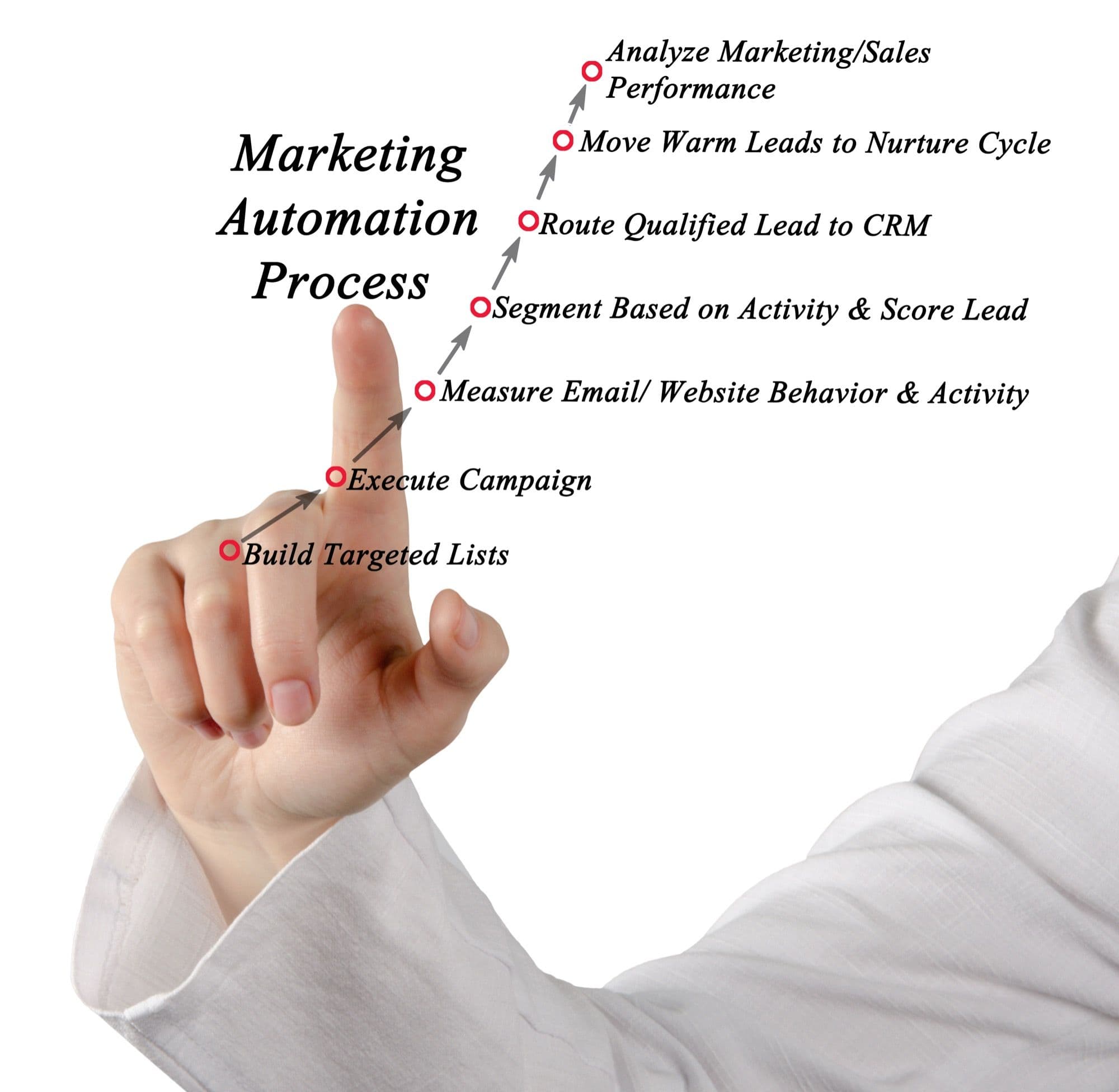
Customer Action (Trigger)
    → CRM/Event System detects trigger
    → Wait period (0-48 hours)
    → Personalized request sent via preferred channel
    → Testimonial collection form/page
    → Automated follow-up sequence (if no response)
    → Submission received → notification to team
    → Review and approval workflow
Step 1: Map Your Triggers to Data Sources
For each trigger, identify where the signal lives in your tech stack:
- NPS scores: Your survey tool (Delighted, Wootric, Typeform) via webhook or Zapier
- Milestones: Your product database or analytics platform (Segment, Amplitude, Mixpanel)
- Onboarding completion: Your onboarding tool or product events
- Positive reviews: G2, Capterra, or social monitoring tools via API
- Anniversaries: Your CRM or billing system (Stripe, HubSpot, Salesforce)
Step 2: Build the Request Sequence
Each trigger should fire a multi-touch sequence, not a single email. Here's the sequence I recommend:
Message 1 (Trigger + 0-24 hours): The Personal Ask
This should feel personal even though it's automated. Use merge fields for the customer's name, company, specific milestone, and the team member they interact with most (CSM, account manager, or founder for small companies).
Subject line examples that work:
- "Quick favor, ?" (32% open rate average)
- ", would you share your experience?" (28% open rate)
- "Your story could help others like you" (25% open rate)
The email should be short — 4–6 sentences max. Explain what you're asking, why you're asking them specifically, and make it dead simple to say yes with a single button or link to your testimonial collection form.
Message 2 (Trigger + 4 days): The Gentle Nudge
If no response, send a shorter follow-up. Acknowledge they're busy. Reiterate that it takes less than 2 minutes. Include the link again.
Message 3 (Trigger + 10 days): The Final Ask with Social Proof
Show them examples of other customers who've submitted testimonials. "Here's what shared — it took her 90 seconds." This reduces uncertainty about what's expected and shows that real people actually do this.
After Message 3: Stop. Three touches is enough. If they haven't responded, either the timing was wrong or they're not interested. You can re-trigger the sequence at the next milestone, but don't become a pest.
Step 3: Optimize the Collection Experience
The collection form itself is where most automation breaks down. You've done the hard work of getting a customer to click "yes" — don't lose them with a confusing submission process. For a deep dive on form design, see our guide on how to collect video testimonials.
Critical elements of a high-converting collection page:
- Guided prompts: 3–5 specific questions they can answer rather than a blank "tell us about your experience"
- Browser-based recording: No app downloads, no file uploads from camera roll. Click a button, record in the browser, submit.
- Progress indicator: Show them they're 2 minutes from done
- Example video: Show a 30-second sample testimonial so they know what you're looking for
- Text alternative: Some customers genuinely can't or won't record video. Let them submit a written testimonial instead. Something is better than nothing.
- Mobile-optimized: Over 60% of testimonials are recorded on mobile devices. If your form doesn't work flawlessly on a phone, you're losing the majority of potential submissions.
Step 4: Set Up the Follow-Through
When a testimonial comes in, the automation shouldn't stop. Build workflows for:
- Instant notification to your marketing team (Slack, email, or your project management tool)
- Automated thank-you to the customer within minutes of submission
- Review queue in your testimonial platform where someone can approve, edit, or request a re-record
- Auto-publishing for testimonials that meet your quality threshold (optional but powerful for scale)
This post-submission workflow is part of what's called a customer feedback loop — the system that ensures feedback doesn't just get collected but actually gets used.
CRM Integration Patterns
The specific wiring depends on your tools, but here are the most common integration patterns I see working well:
HubSpot Workflow
- Create a custom property "Testimonial Status" (Not Asked, Requested, Submitted, Published)
- Build a workflow triggered by deal stage = "Closed Won" + 60 days
- Send automated email sequence from the deal owner's email address
- Update property to "Requested" when sequence starts
- Use form submission webhook to update property to "Submitted"
Salesforce + Pardot
- Build a Pardot engagement program triggered by a custom field update
- Use dynamic content to personalize based on product, industry, and account manager
- Score engagement (email opens, link clicks) to identify warmest prospects for personal follow-up
Zapier/Make for Lightweight Stacks
If you don't have an enterprise CRM:
- Trigger: New row in Google Sheet (manually added or auto-populated from your app)
- Action 1: Send personalized email via Gmail or your ESP
- Action 2: Wait 4 days → check if testimonial received → if not, send follow-up
- Action 3: When testimonial submitted (webhook from your collection form), send thank-you and update sheet
NPS-to-Testimonial Pipeline: The Highest-Converting Flow
Let me walk through the specific NPS integration in detail because it's the highest-ROI automation you can build.
The Psychology Behind It
When someone gives you a 9 or 10 on NPS, they're in a specific emotional state: they feel positively enough about your product to actively recommend it. That emotional state is temporary — it peaks at the moment of the survey response and decays quickly as they get back to their day.
If you ask for a testimonial 30 days later, that emotional peak is long gone. If you ask within 24 hours, you're capturing the energy while it's hot.
The Technical Flow
- Customer submits NPS survey → Score recorded in survey tool
- If score >= 9, webhook fires to your automation platform
- Automation waits 2–4 hours (not instant — that feels creepy)
- Personalized email sends: "Thanks for the kind words in our survey. Would you be willing to share that feedback in a short video? It helps other teams like yours make the decision."
- Email includes direct link to your testimonial collection form pre-populated with their name and company
- Standard follow-up sequence (nudge at day 4, final ask at day 10)
Results You Can Expect
Across the businesses I've worked with, this NPS-to-testimonial pipeline consistently delivers:
- 30–40% click-through rate from the initial email
- 25–35% completion rate among those who click
- Overall conversion: 8–14% of NPS promoters submit a testimonial
If you survey 500 customers per quarter and 40% are promoters (200 people), that's 16–28 new testimonials per quarter on autopilot. That's a testimonial library that builds itself.
Keeping Automation Authentic
Here's where most guides on this topic fail: they treat automation like a set-it-and-forget-it machine. But the best testimonial programs maintain human touchpoints within the automated framework.
Personalization That Actually Matters
Generic personalization (first name, company name) is table stakes. The personalization that moves the needle is contextual:
- Reference their specific milestone: "Congrats on processing your 1,000th order through our platform"
- Mention their result: "Your team reduced response time by 40% — that's incredible"
- Name their CSM or account manager: "Sarah mentioned you had a great call last week"
This requires your automation platform to have access to customer data beyond basic contact info. It's worth the engineering effort.
The Human Handoff
For your top-tier customers — enterprise accounts, long-term relationships, brand-name logos — skip the automated email entirely. Use the trigger to notify a human (CSM, founder, account exec) who sends a genuinely personal message. Automation identifies the opportunity; a human closes it.
Let Them Be Themselves
The fastest way to kill authenticity is over-scripting. Your guided prompts should be questions, not scripts:
Good prompts:
- "What problem were you trying to solve when you found us?"
- "What surprised you most about working with us?"
- "What would you tell a friend who's considering a similar solution?"
Bad prompts:
- "Please mention our fast onboarding and excellent customer support"
- "Talk about how our product saved you time and money"
- "Make sure to recommend us to other businesses"
The good prompts invite storytelling. The bad ones produce infomercials.
Measuring Your Automation Performance
Track these metrics monthly to optimize your system:
- Request-to-submission rate: What percentage of customers who receive a request actually submit? Target: 10–20%.
- Time from trigger to submission: How many days between the trigger event and receiving the testimonial? Target: under 14 days.
- Quality rate: What percentage of submissions are usable without re-recording? Target: 70%+.
- Channel performance: Which request channel (email, in-app, SMS) converts best for your audience?
- Trigger performance: Which triggers produce the highest submission rates and best quality testimonials?
Review these monthly and adjust. You'll likely find that one or two triggers dramatically outperform the others — double down on those.
Common Mistakes to Avoid
1. Automating too early. Don't build complex automation until you've manually collected at least 10–15 testimonials. You need to understand your customers' objections, preferred channels, and the prompts that produce the best responses before you can codify them into a system.
2. Sending from a no-reply address. Every automated testimonial request should come from a real person's email address — ideally someone the customer has interacted with. When they hit reply with a question, someone should answer.
3. Ignoring mobile. I said this above but it bears repeating: the majority of testimonials are recorded on phones. Every link, form, and recording interface in your automation must work perfectly on mobile.
4. Not having a feedback loop. If your automation sends requests but nobody reviews submissions, follows up on quality issues, or uses the testimonials — the system dies. Assign an owner.
5. Asking too often. Cap your automation so no customer receives more than one testimonial request per quarter. Getting asked monthly feels like harassment, not appreciation.
Getting Started: Your First Automated Workflow
If you're building this from scratch, start with a single workflow:
- Pick your highest-signal trigger. For most businesses, this is either post-NPS-promoter or post-milestone.
- Write three emails. Initial ask, gentle nudge, final ask. Keep them short and personal.
- Set up a collection page. Use a platform that handles browser-based recording with guided prompts.
- Wire the trigger to your email sequence. Zapier, HubSpot, or whatever you have.
- Monitor for two weeks. Watch open rates, click rates, and submission rates.
- Optimize and add triggers. Once your first workflow is humming, add a second trigger source.
Within 90 days, you'll have a testimonial collection engine that runs itself — delivering fresh, authentic social proof every month without anyone on your team doing manual outreach.
The businesses that win at testimonials aren't the ones with bigger budgets or better cameras. They're the ones with better systems. Build the system once, and it compounds forever.
Pavel Putilin
·FounderFounder of VideoTestimonials. Passionate about helping businesses build trust through authentic customer stories and video social proof.
Frequently asked questions
Can you automate testimonial collection without losing authenticity?+
Yes, by automating the logistics (timing, triggers, follow-ups, and the collection page) while keeping the human moments intact. Trigger requests at peak satisfaction, personalize with real context rather than just a first name, and hand off top-tier accounts to a human. The system identifies the opportunity, but authenticity comes from letting customers speak in their own words.
What is the highest-converting trigger for a testimonial request?+
An NPS score of 9 or 10 is the strongest signal, because the customer has just said they would recommend you while that feeling is at its peak. Sending a request within a few hours (not instantly) captures that energy, with roughly 25 to 40% of promoters submitting when asked immediately. Positive reviews and referrals are also high-converting triggers.
How many follow-up messages should an automated sequence send?+
Three touches is the sweet spot, an initial personal ask, a gentle nudge around day 4, and a final ask with social proof around day 10. After that, stop, since more starts to feel like harassment. You can re-trigger the sequence at the next milestone if the customer did not respond.
When is a business ready to automate testimonial collection?+
Wait until you have manually collected at least 10 to 15 testimonials first. That hands-on experience teaches you which prompts, channels, and timing produce the best responses, so you can codify what actually works instead of automating guesses. Automating too early tends to lock in an ineffective process.
Related Glossary Terms
API Integration
Connecting two software systems via application programming interfaces to share data and functionality automatically.
Customer Feedback Loop
A systematic process for collecting, analyzing, and acting on customer feedback to improve products and marketing.
Customer Health Score
A composite metric that predicts customer retention by combining usage data, satisfaction scores, and engagement signals.
Transactional Email
An automated email triggered by a specific user action, such as a purchase confirmation, password reset, or receipt.
Voice of Customer (VoC)
A research methodology that captures customer expectations, preferences, and feedback to guide business decisions.
Webhook
An automated HTTP callback that sends real-time data to another system when a specific event occurs.
Related Articles
Related Articles

Why You Should Transcribe Every Video Testimonial (And How to Do It)
Discover the SEO, accessibility, and content repurposing benefits of transcribing video testimonials. Includes tools, best practices, and implementation guidance.
Building a Testimonial Approval Workflow: From Submission to Published
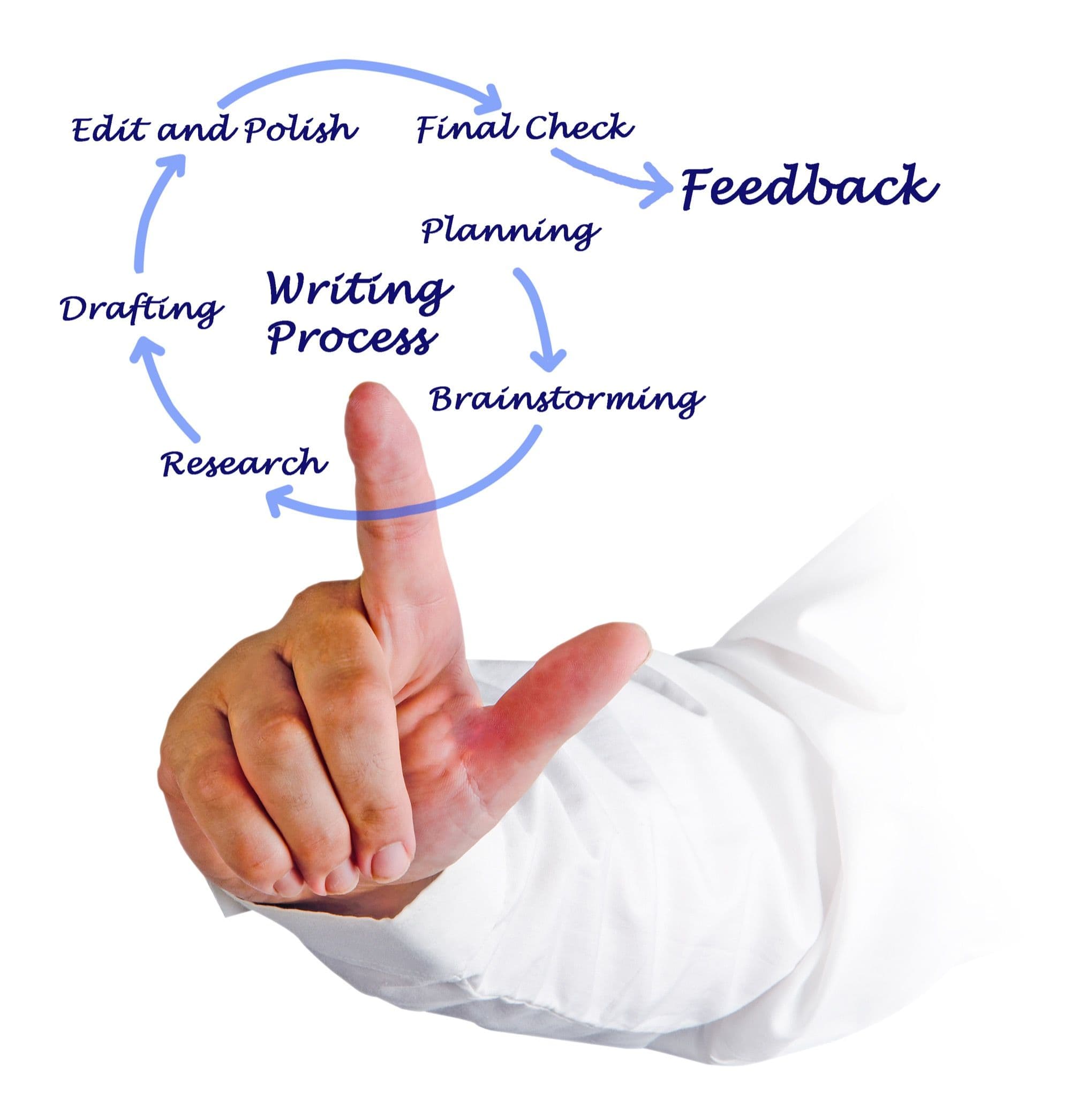
Design a structured testimonial approval workflow covering quality review, legal clearance, customer sign-off, and publication. Includes templates and checklists.
How to Turn NPS Promoters into Video Testimonials (Automated Pipeline)
Build an automated pipeline that identifies NPS promoters and converts them into video testimonials. Covers survey design, trigger logic, outreach, and recording workflows.

Build trust.
Drive revenue.
Stop losing customers to a lack of social proof. Start collecting and showcasing high-converting testimonials today.